 Casana®Redefining health at home
Teach it who you are.
The Smart Seat learns to recognize each person, so it knows which sits are yours, even with up to five people in the home. Casana calls it BioID.
About 60 seconds3 steps
The short version. Tap More detail on any step.
Step 1: The quick way: the BioID Wizard
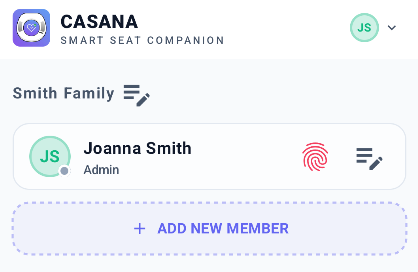
In Settings, tap the red fingerprint next to your name and follow the steps. About 60 seconds.
Step 2: Or link your first few sits by hand
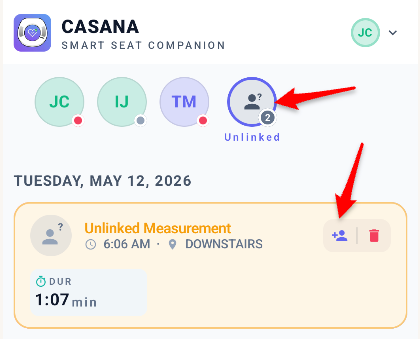
Or use the seat as usual, then link your first few sits to your name in Measurements.
Step 3: How you know it's done
The fingerprint next to your name turns green.
Having trouble?
Need a hand?
The Casana Care Team is there Monday to Friday, 9am to 5pm Eastern.
Please Note: The Smart Seat is not intended for, and has not been tested on pregnant women, people under 18 years old, people under 90 lbs or greater than 350 lbs, people with persistent arrhythmias, or people with pacemakers. Please contact Casana if you have any questions about your use of the Smart Seat.